Admin and Users
interact via UI.
Admins and users interact with the stack via UI — GUI or CLI with manifests: who gets in, who may talk to which model, how inventory scales — and how you resell it under your brand as a provider.
Who uses what,
decided by you.
Runs next to the proxy on your infra. From there you install models, issue and revoke keys, set who may talk to which model, and see what each is consuming — live.
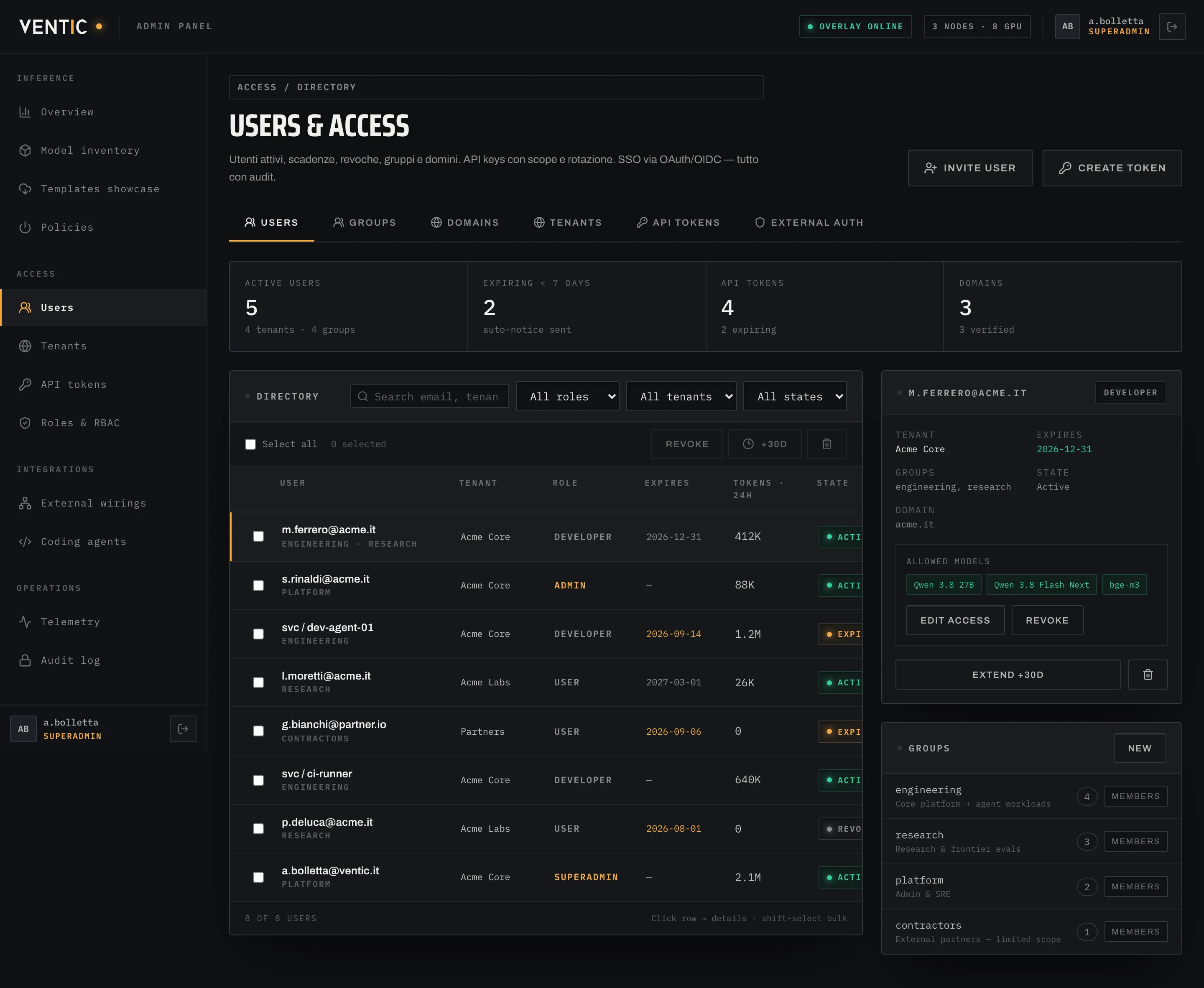
Users and access
Active users, expiries and revocations by group, domain and tenant. Every API key has owner, scope and expiry — revoked here. Auth from your provider (Google Workspace, Entra ID, Okta, any OIDC) with 2FA.
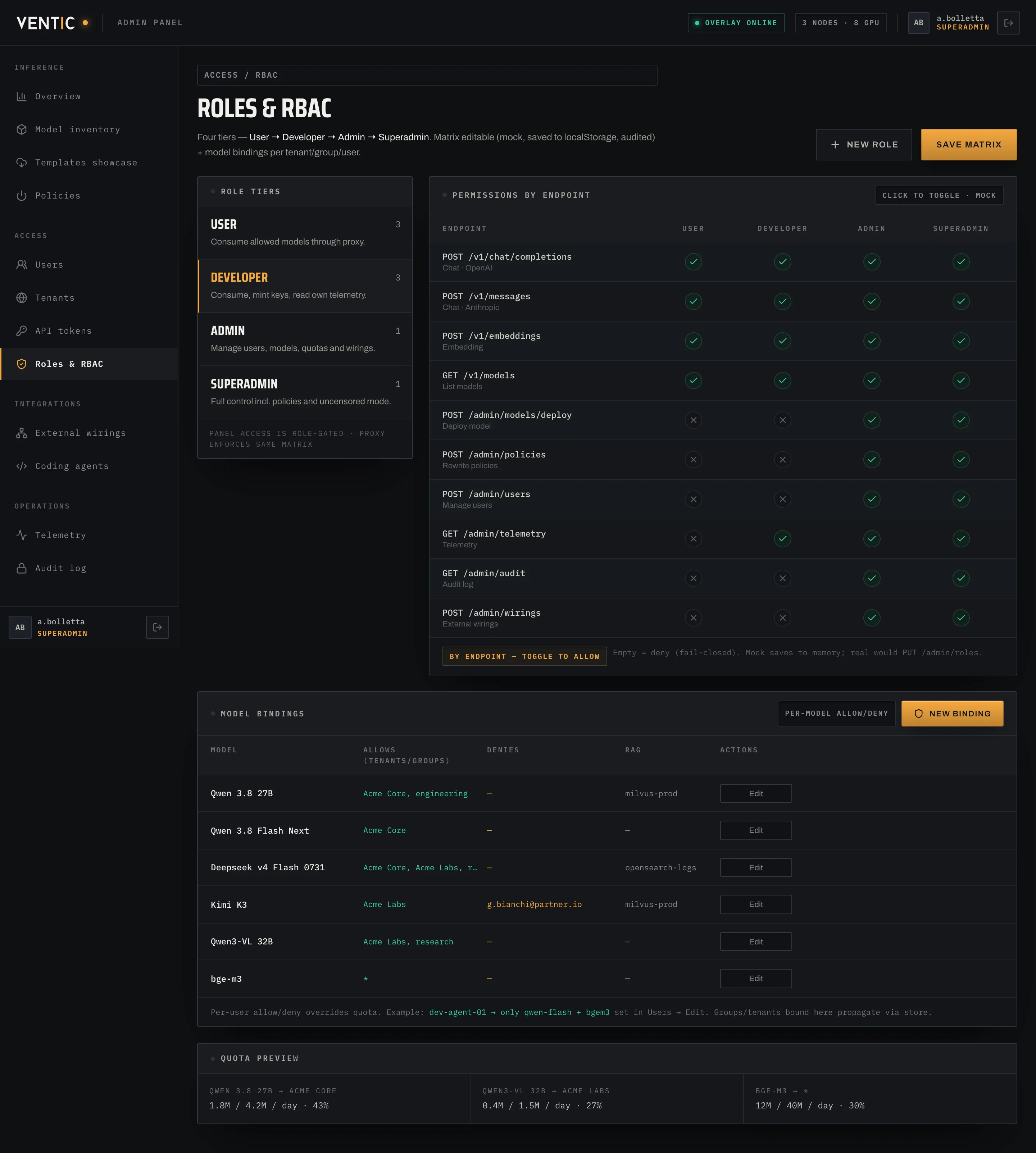
Roles and RBAC
Four tiers — user, developer, admin, superadmin — and a matrix for who may do what endpoint by endpoint. Below, rules binding users, groups, domains and tenants to models, each with its quota.
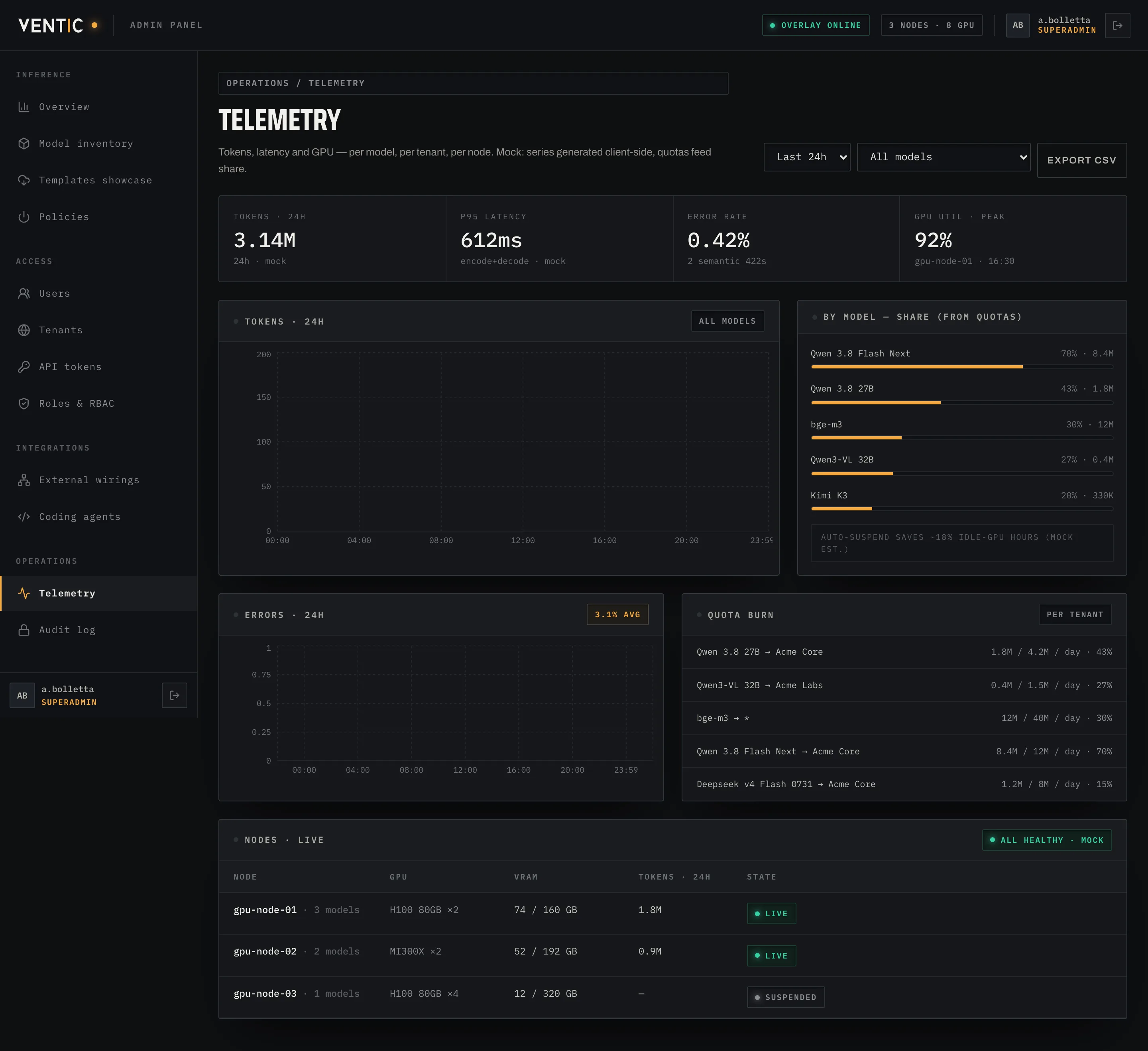
Telemetry
Tokens per minute last 24h, GPU/VRAM/power per node, consumption per user. Alerts on the channel you choose when a threshold fires or a spot is reclaimed.
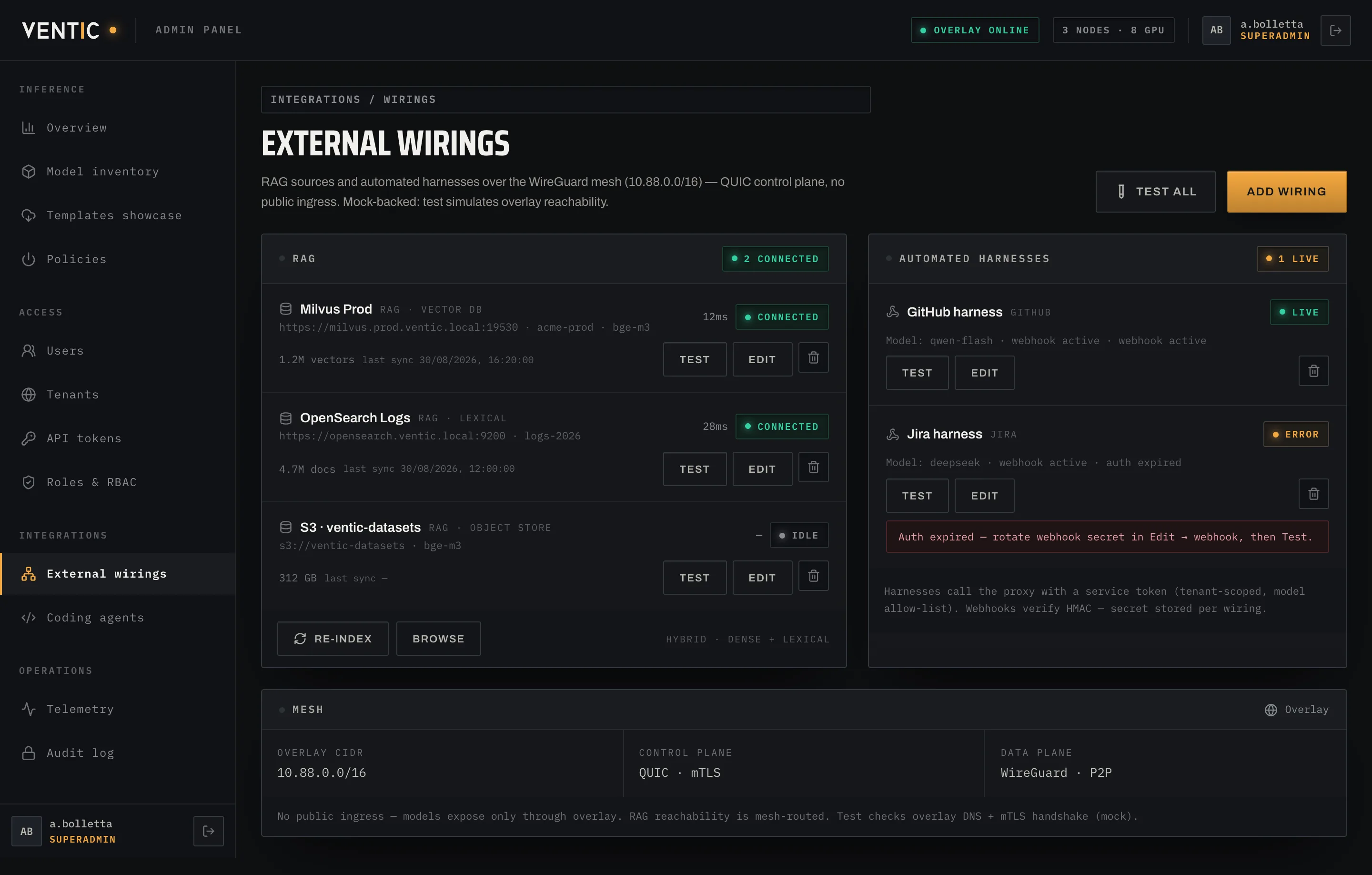
External wirings
Optional components connect here: OpenRAG and Qdrant with collections and indexing model, agentic harnesses with their bound model, and the wiring tool that pushes the right endpoint to team desktops.
Chat, keys,
wiring in one paste.
No tickets: end users chat with models multimodally, rotate their own API keys and paste wiring for Cursor, Cline, Continue or Muse — all over the encrypted overlay, under the same quotas as admin.
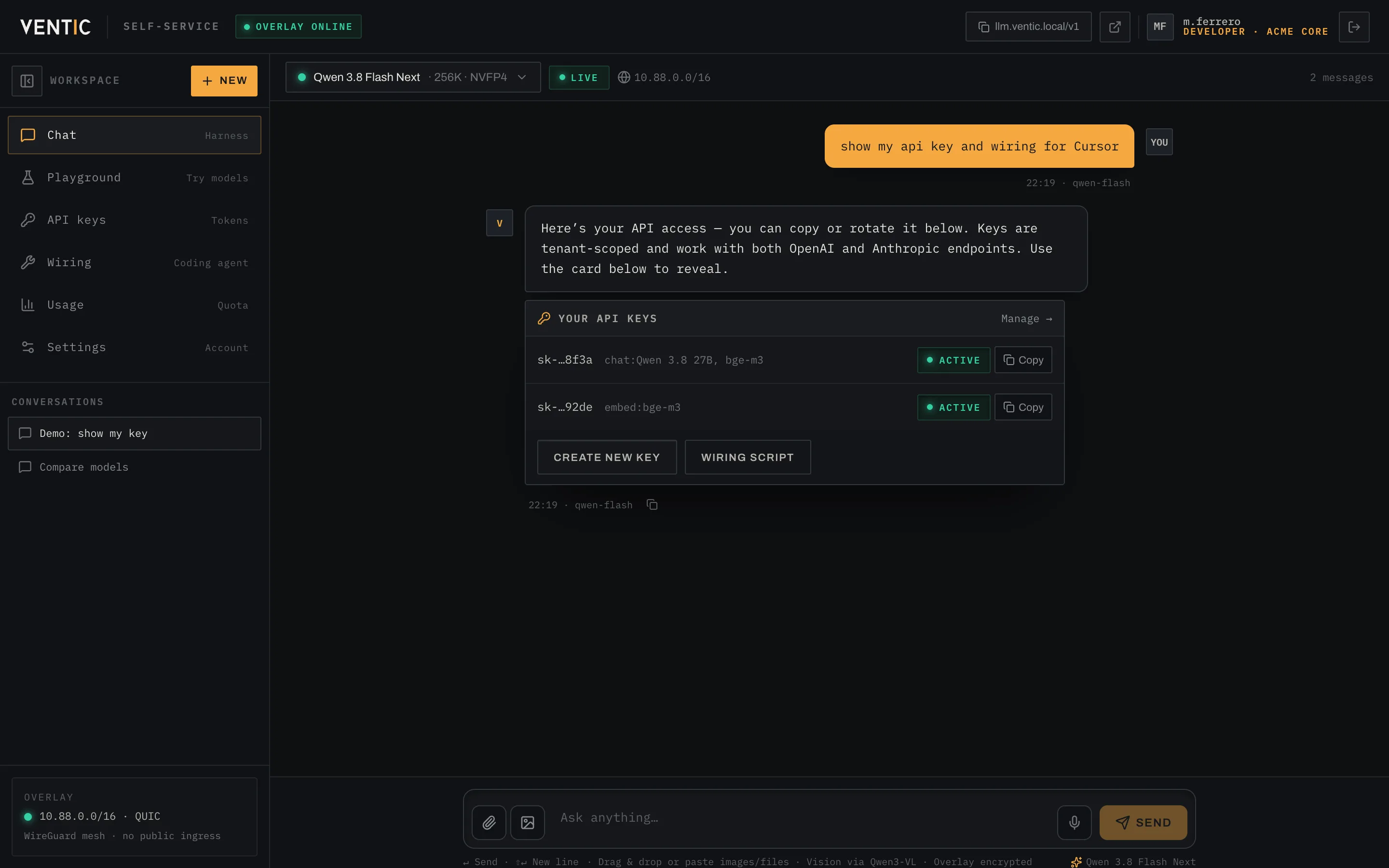
Multimodal chat harness
ChatGPT-style with streaming, image/file attachments, model picker and tool cards that open keys, wiring or quotas without leaving the conversation. Vision via Qwen3-VL 32B.
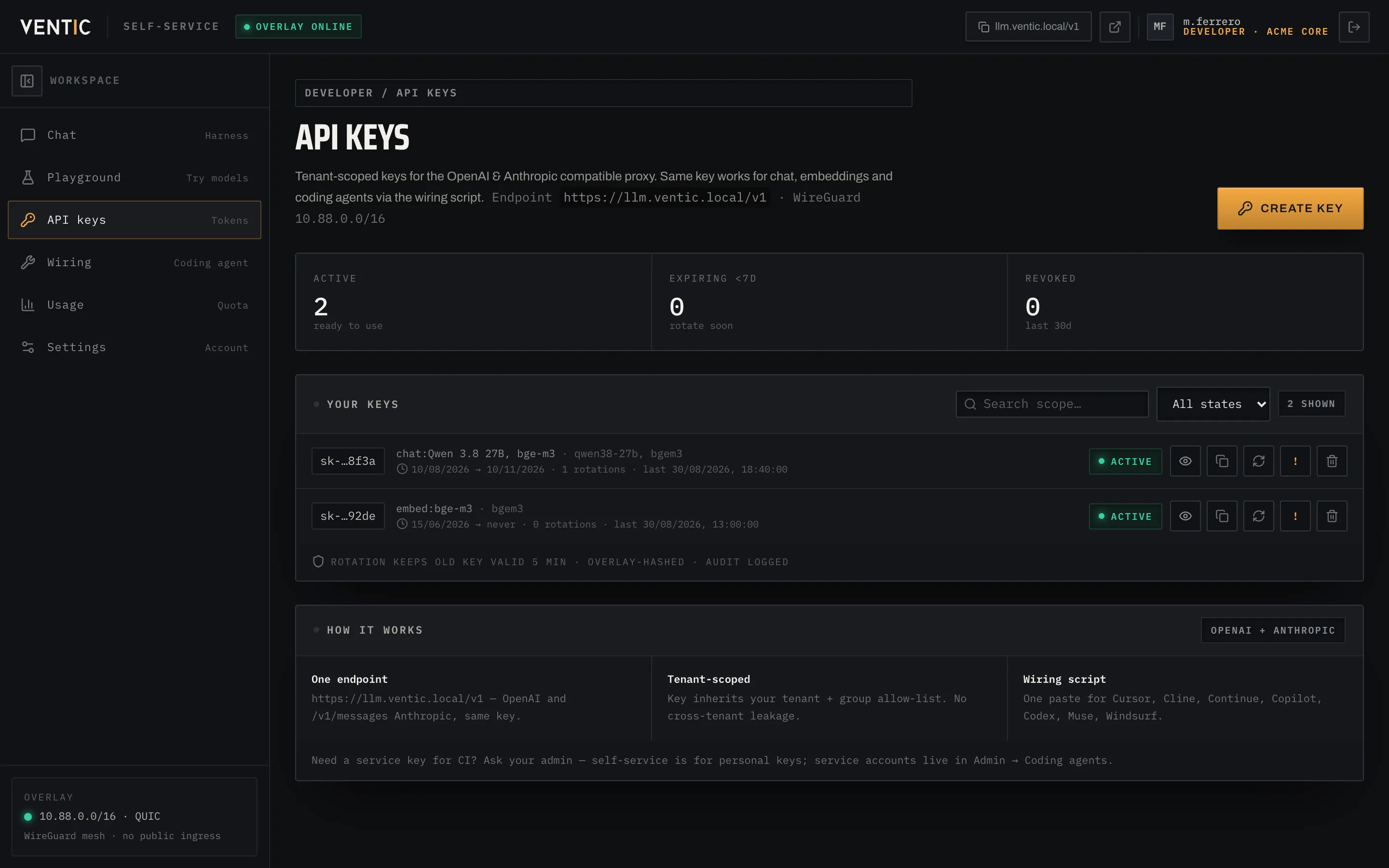
Your API keys
Personal tenant-scoped keys, created and rotated in one click with sk-…xxxx preview. Same key for OpenAI and Anthropic, instant revoke and 5-minute zero-downtime rotation.
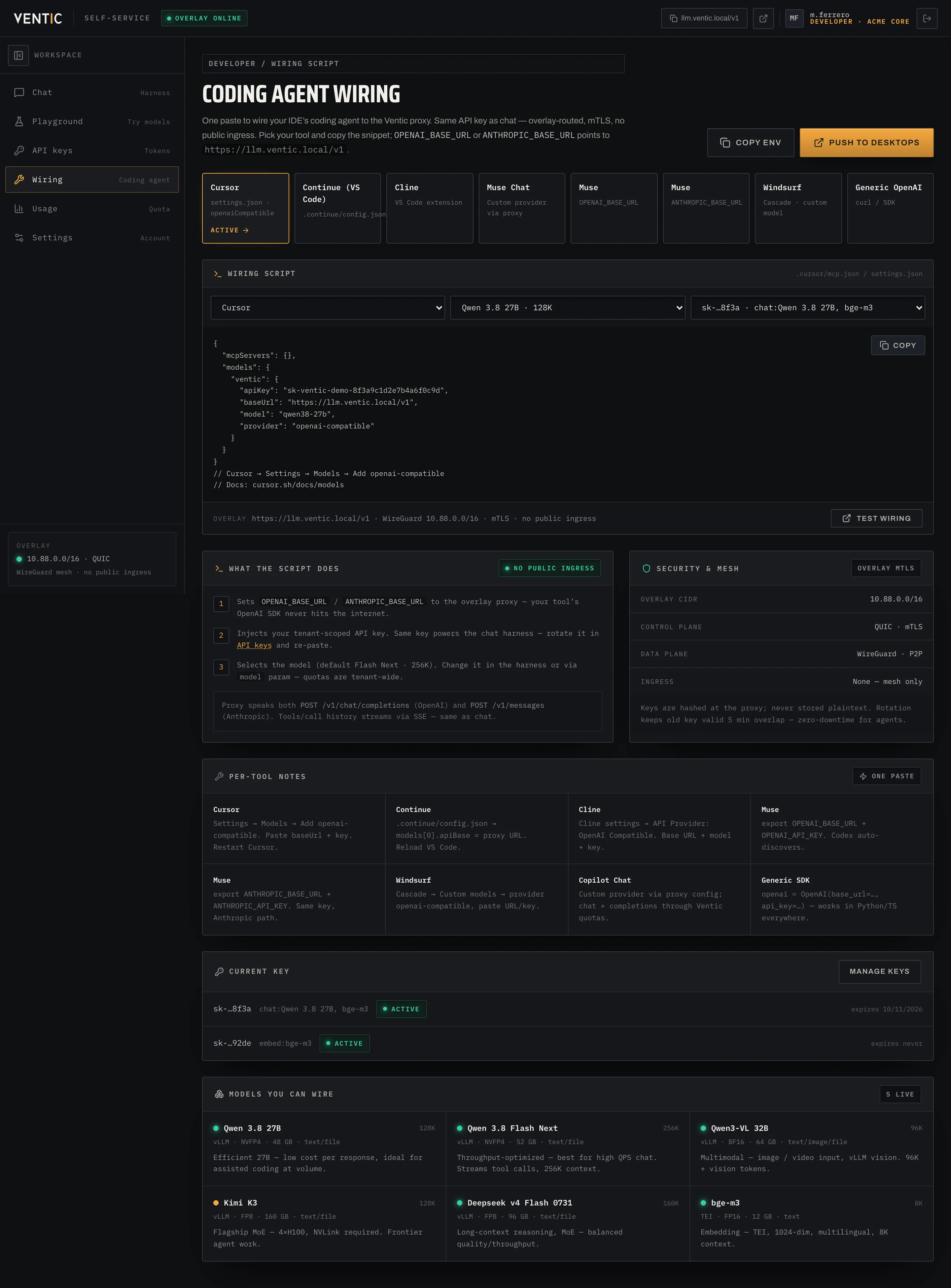
Coding agent wiring
One paste for Cursor, Continue, Cline, Copilot, Codex, Muse and Windsurf: injects OPENAI_BASE_URL / ANTHROPIC_BASE_URL and your key on the 10.88.0.0/16 overlay, QUIC + mTLS, no public IP.
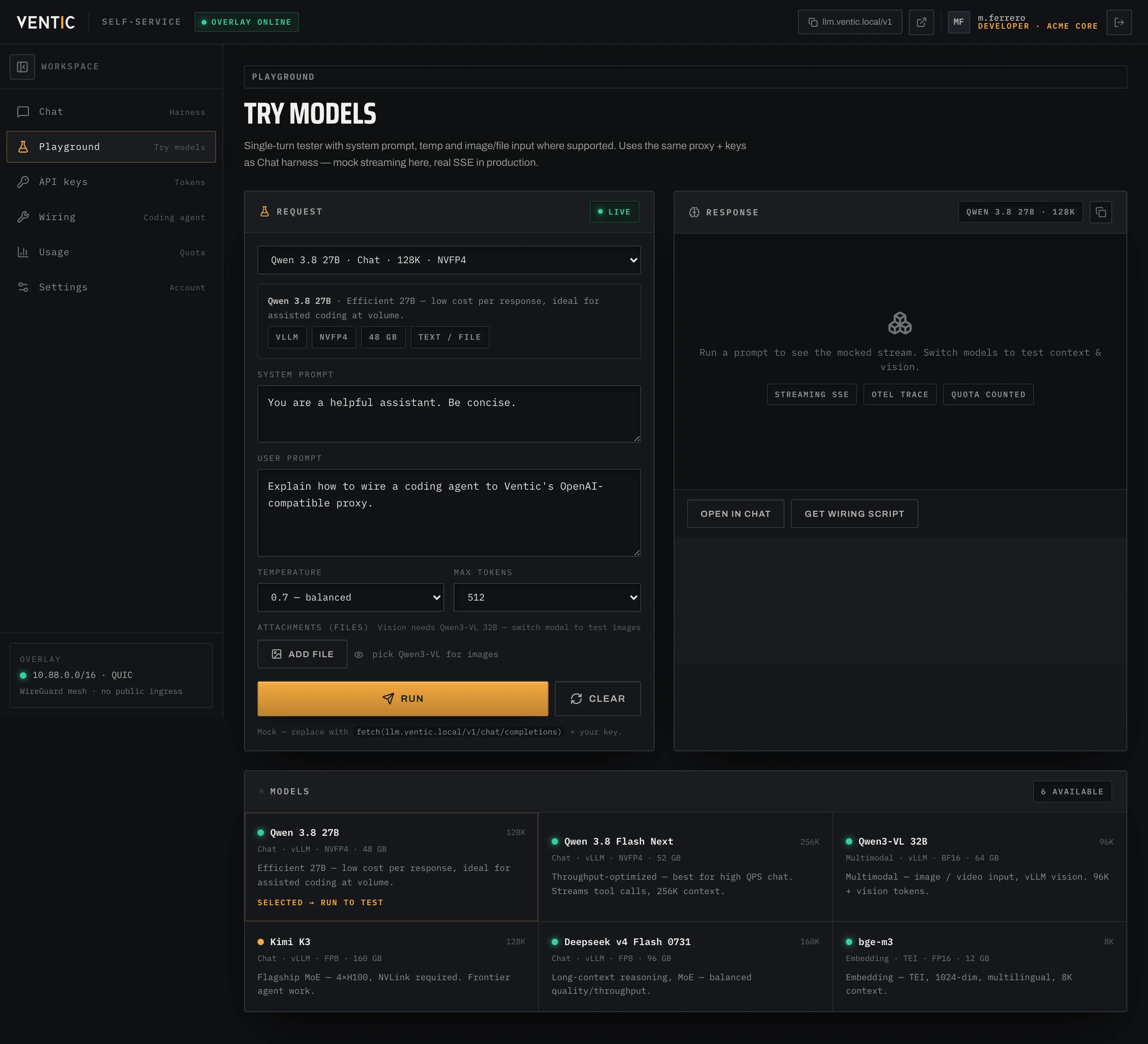
Model playground
Try any model on the fly with system prompt, temperature and files: same proxy and same quotas as chat, mock streaming response ready for production.
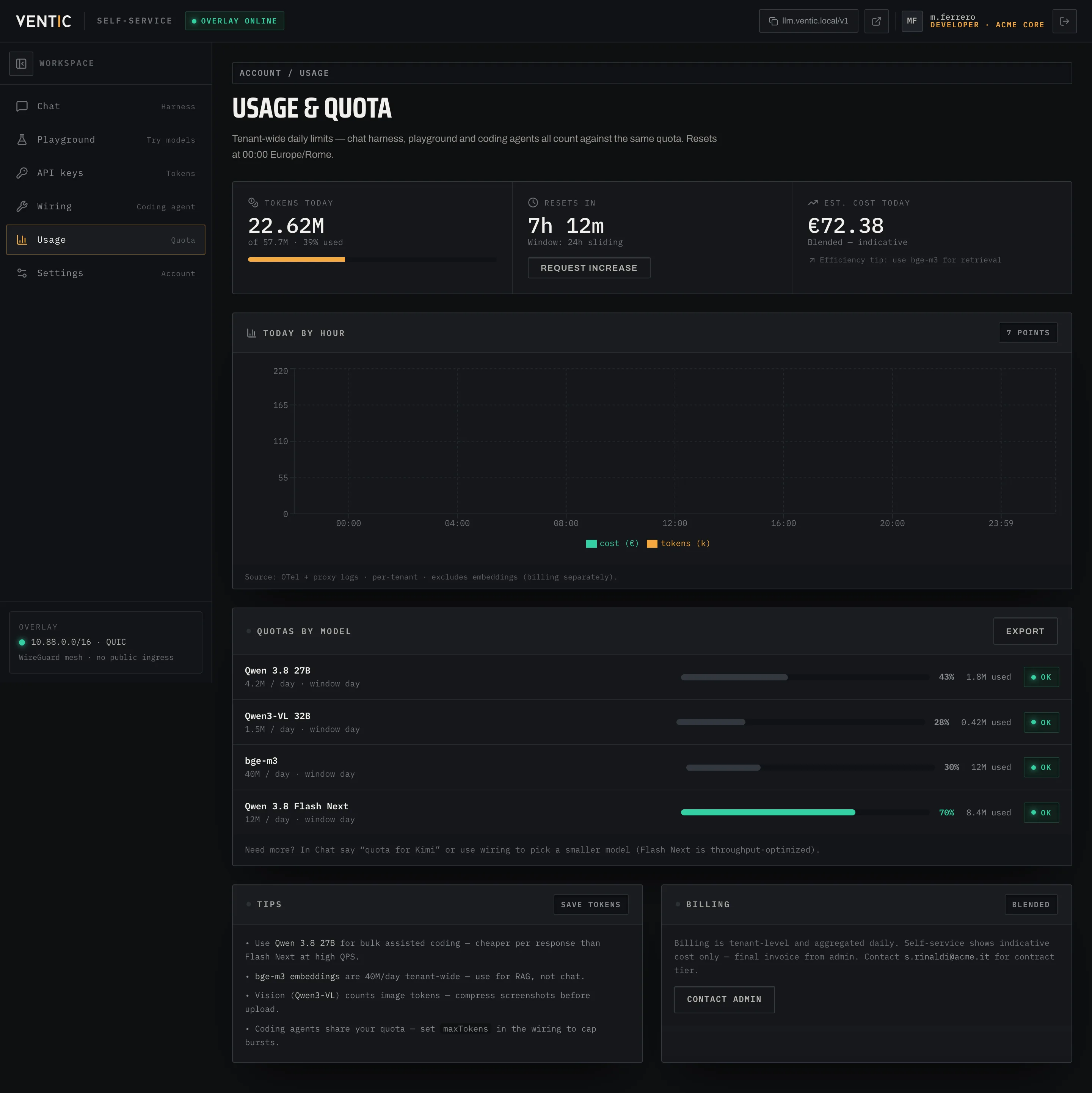
Quota and usage
Hourly bar chart, per-model quotas and daily cost estimate — all tenant-wide, reset at midnight Europe/Rome.
Who gets in, and with which key
The roster of who may talk to your models, shaped like your org — or your customers’.
Users
Active state, access expiry and instant revocation — one by one or in bulk.
Groups
By team or function: RBAC and quotas apply to the group, not person by person.
Domains
Tied to the org email domain: anyone from @company.com enters with rules already set.
Tenants
Full separation between orgs on the same panel: data, quotas and visible models never mix.
API tokens
Every key has owner, scope and expiry. Create, rotate and revoke here without touching client code.
OAuth & SSO
From your provider — Google Workspace, Entra ID, Okta or any OIDC — with 2FA enforceable by policy.
Who may do what, endpoint by endpoint
Access control doesn’t stop at “who gets in”: it decides what they may touch once inside.
Four tiers
User, developer, admin and superadmin: distinct roles for model use and for panel administration.
Endpoint permissions
A matrix saying, endpoint by endpoint, which role may read, write or administer that resource.
Binding rules
Users, groups, domains and tenants bound to individual models with explicit allow or deny.
Inherited quota
Each rule carries a quota: the limit applies automatically to anyone in that group, domain or tenant.
The inventory that decides what runs — and how
Chat, multimodal and embedding in one place: from install to retirement.
Ventic catalogue
Deploy a new model from ready templates, already tuned for available hardware.
Installed inventory
List of active models with node, context window, quota and replica count.
Quotas & allow/deny
Usage limits per user/group/tenant and explicit lists of who may or may not call a model.
Scaling out and in
Replicas added or removed by hand or on threshold, to absorb peaks without idling GPUs.
Auto shutdown & start
Powers down when idle, restarts automatically on the first queued request.
Semantic restrictions
Banned words and concepts per model, to enforce content policy without touching the system prompt.
RAG sources
Collections and knowledge bases wired to the model directly from here.
All consumption, in view
Not vanity dashboards: the numbers you need to know if you’re spending well or about to saturate.
Tokens per minute
Last 24 hours, per model and aggregated.
GPU, VRAM & power
Per node — where you’re pushing and where you have headroom.
Per-user consumption
Who uses how much — to bill correctly or spot anomalies.
Real-time alerts
On the channel you choose when a threshold trips or a spot is reclaimed.
Optional components, wired from here
RAG and agentic harnesses aren’t separate — they plug into the panel like everything else.
OpenRAG & Qdrant
Source collections and the embedding model indexing them, configured from the panel.
Agentic harnesses
Coding agents and harnesses bound to the model they must talk to, under the same RBAC.
Wiring tool
The right endpoint lands on team desktops automatically — no URL or key to hand out.
Your brand,
our platform.
Tenant separation from day one: run your own company, or resell access to your customers as if it were yours.
No separate infra per customer: one panel, one GPU pool, as many tenants as needed.
Native multi-tenant
Each customer is an isolated tenant: data, users, assigned models and usage never show across tenants.
Resell as a cloud provider
Offer subscriptions or pay-as-you-go to end customers using capacity you bought once.
Support roles
Your staff administers customer tenants and users with dedicated admin roles, without touching platform superadmin.
Per-tenant billing
Usage and quotas tracked per tenant: the dataset to bill each customer correctly is already there.
Get in touch
to join the alpha.
We help you pick the right setup — BYOH with your servers or PaaS with ours — and start directly from the workload you want to put in production. Alpha stage, invite-only.